

Mammo Gantry Not Rotating? Here's How To Fix It
 Noah Ford: October 27, 2026

Is your mammo not rotating or working when you press the switches? Don't panic — there are a few things you can try that will usually solve the problem before calling a field service engineer to come work on your equipment.
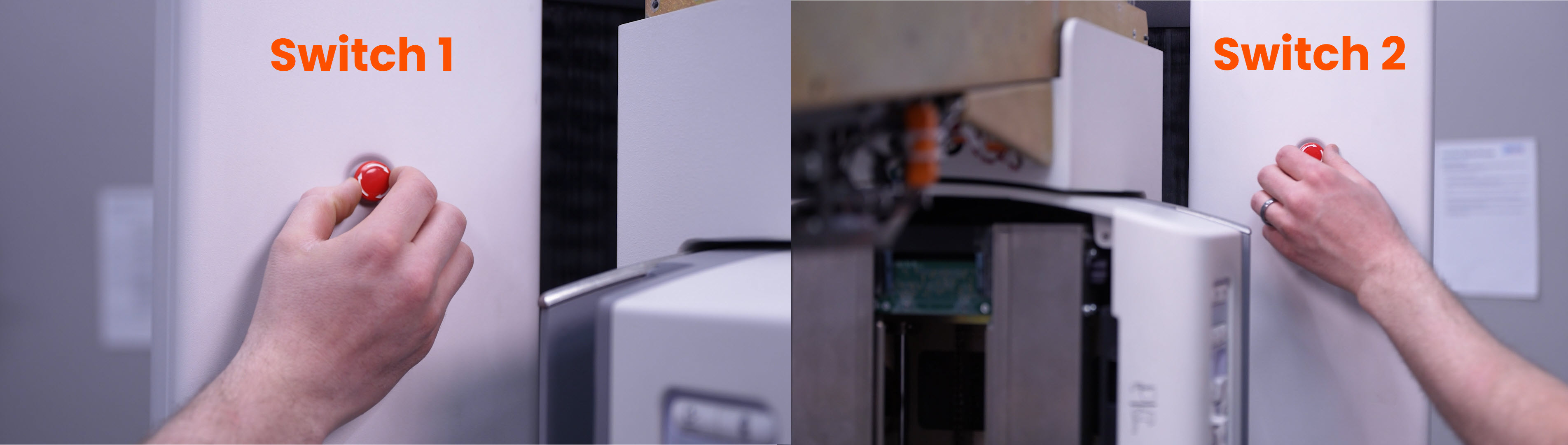
The first thing you need to check is the E-Stop switches. There are two on your gantry — one on each side. Grab it and rotate it to the right, and it should release the switch if it's pressed. Check the other one too.
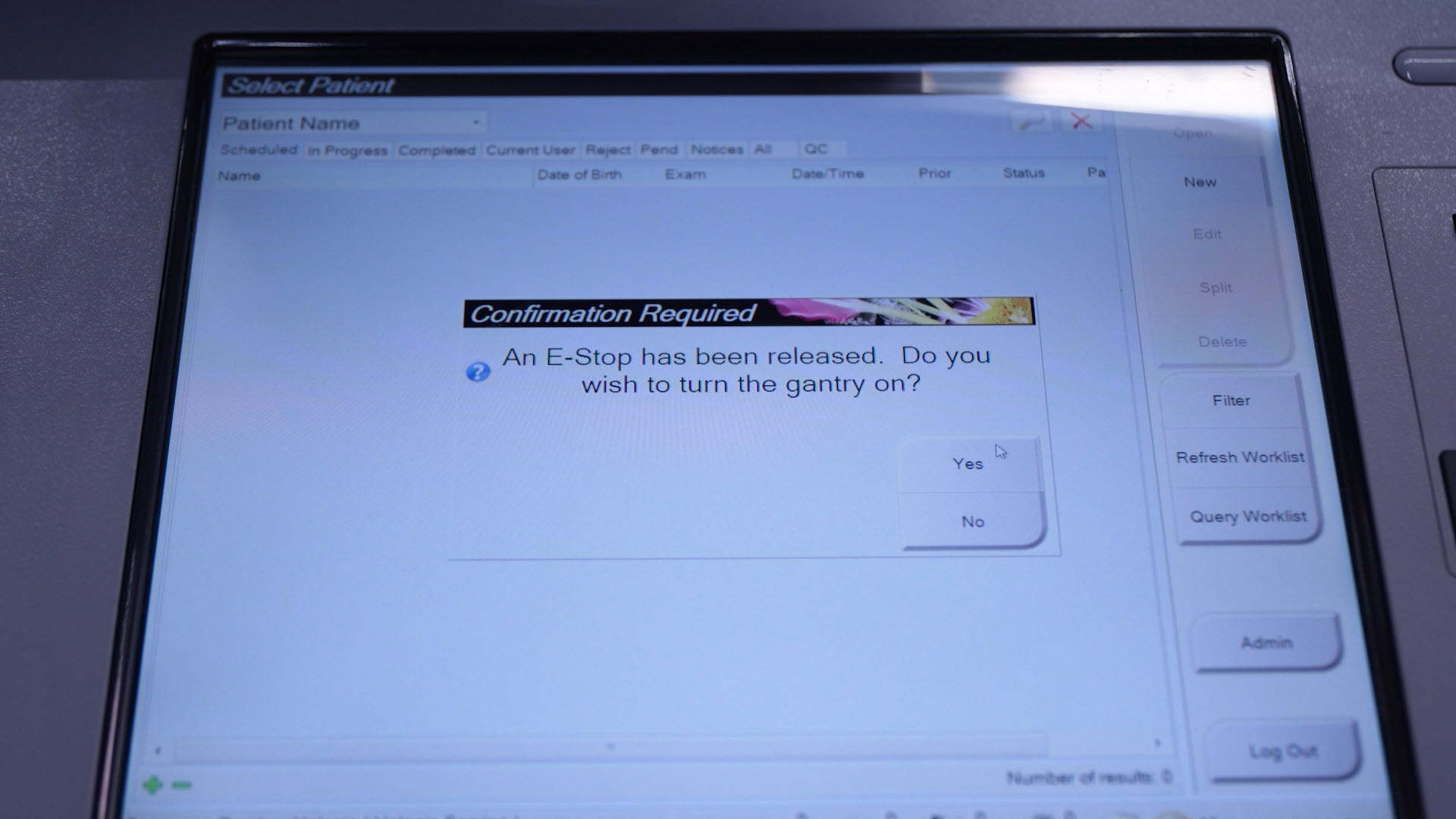
After releasing the E-Stop switch, go to the console. You should see a message that says:
"An E-Stop has been released. Do you wish to turn the gantry on?"
Hit Yes, and your gantry should power on.
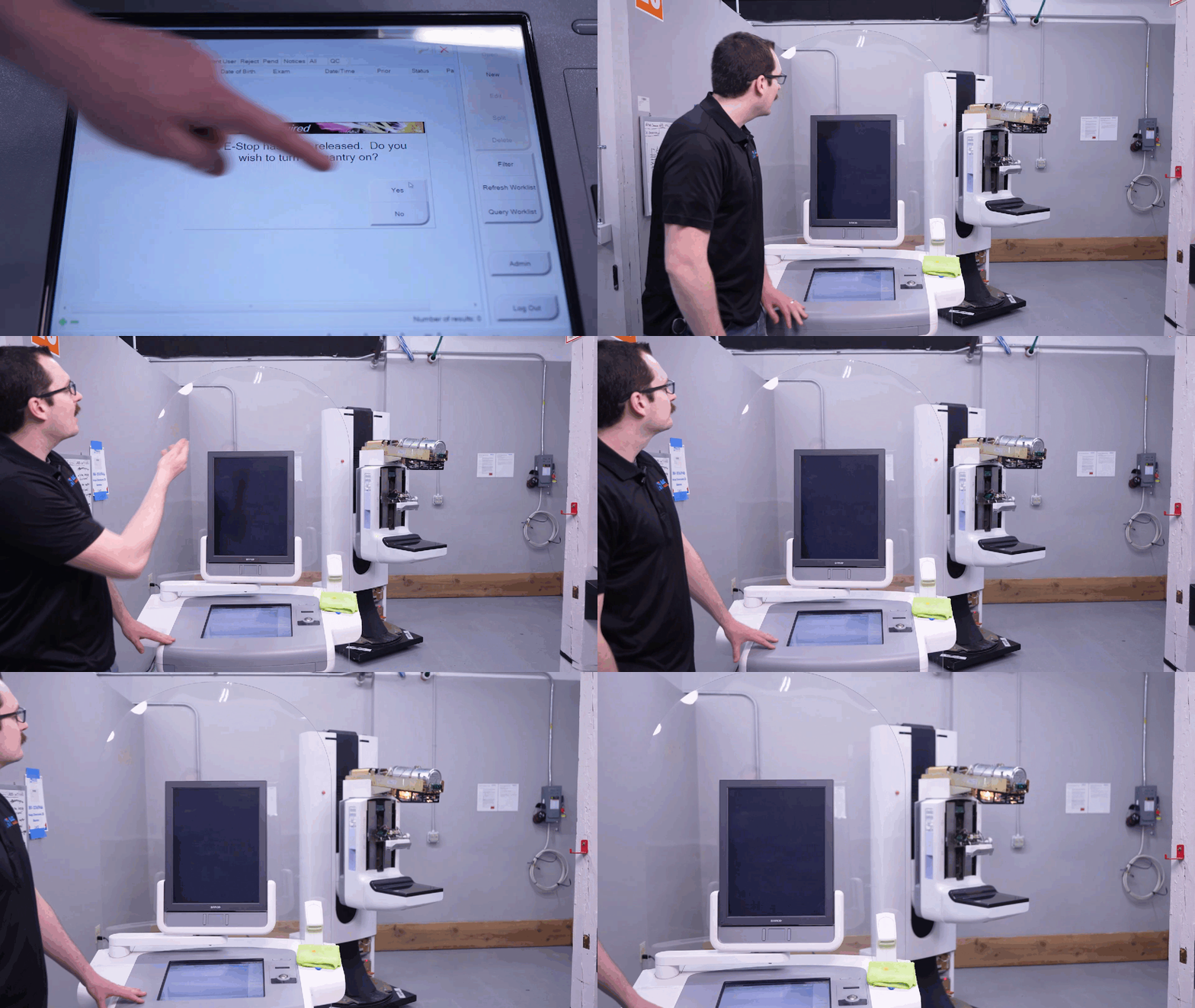
If there was no message, check your third, secret E-Stop switch. It's only "secret" because it's sometimes covered up by loose papers — ours was covered by a microfiber cloth. Right underneath, there is a third E-Stop switch on the console.

Release it, and you should get the same message:
"An E-Stop has been released. Do you wish to turn the gantry on?"
Hit Yes, and your gantry should power on.
If the E-Stops didn't resolve your issue, check whether your gantry has power. The easiest way is to check the display screens on top of the gantry. If you can see "off," "on," "888," "0," or really anything displayed, it means you have power coming to your gantry.
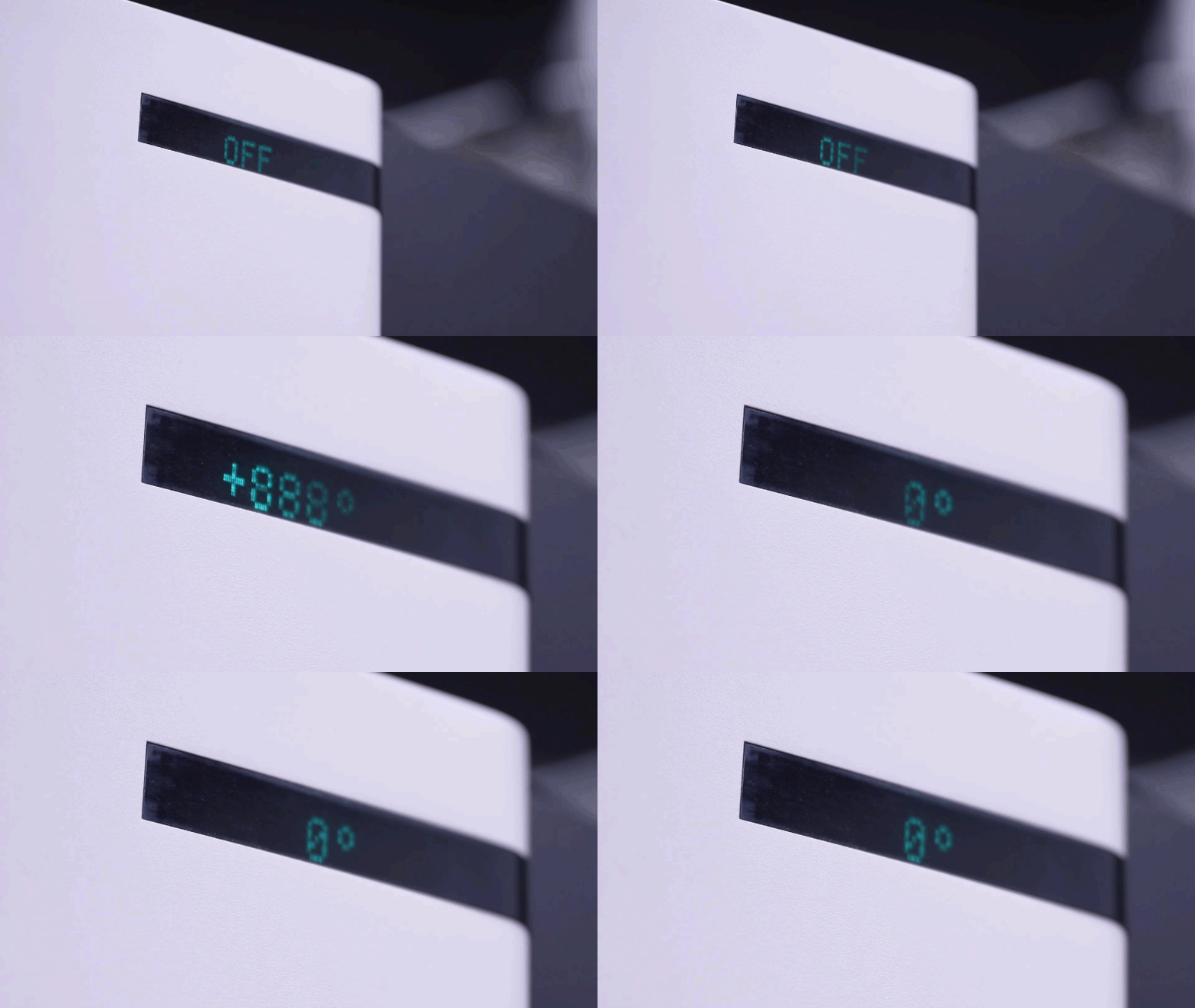
If there's nothing there, contact your facility department and make sure there's power coming into your room.
Need help? No worries: our Service Team is standing by to assist. Give us a call at (877) 733-7142 or use the button below to contact us and let us know what you need.