


Are Your Mammo's Images Not Sending to PACS?
 Block Imaging: July 10, 2026
Has your Hologic Dimensions mammography system suddenly stopped sending images to PACS? Don't panic! Collecting the system’s connectivity settings is a smart first troubleshooting step.
By locating the IP address, AE title, store commit response port, and the PACS host, port, and called AE title, you can give your IT department the exact information they need to investigate the issue. If everything checks out on the IT side and the problem continues, service support will likely be needed.
Start by going to the Hologic Dimensions mammo unit and selecting Admin. From there, open System Tools.

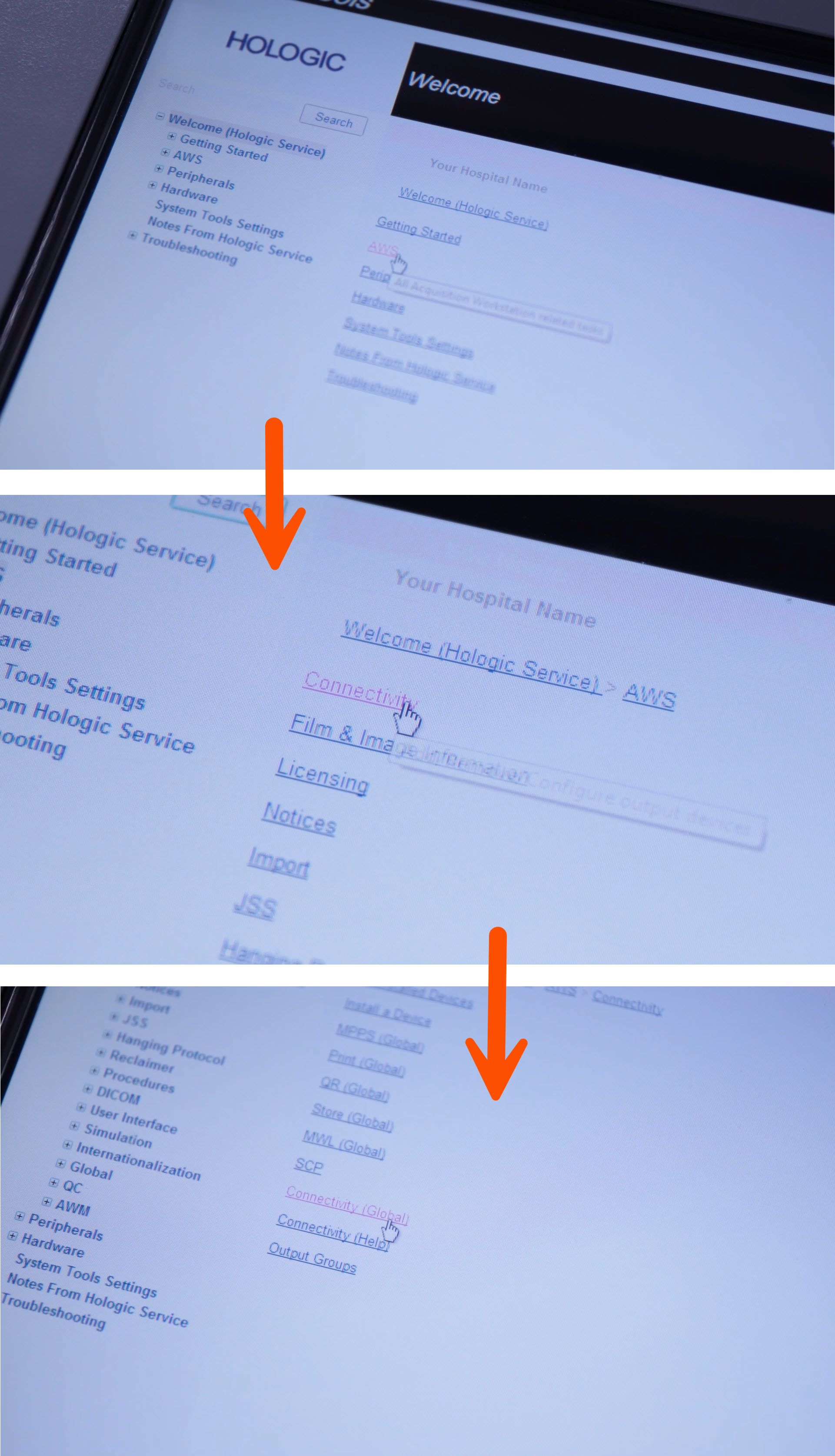
Next, go into AWS, then select Connectivity, and then open Connectivity Global.
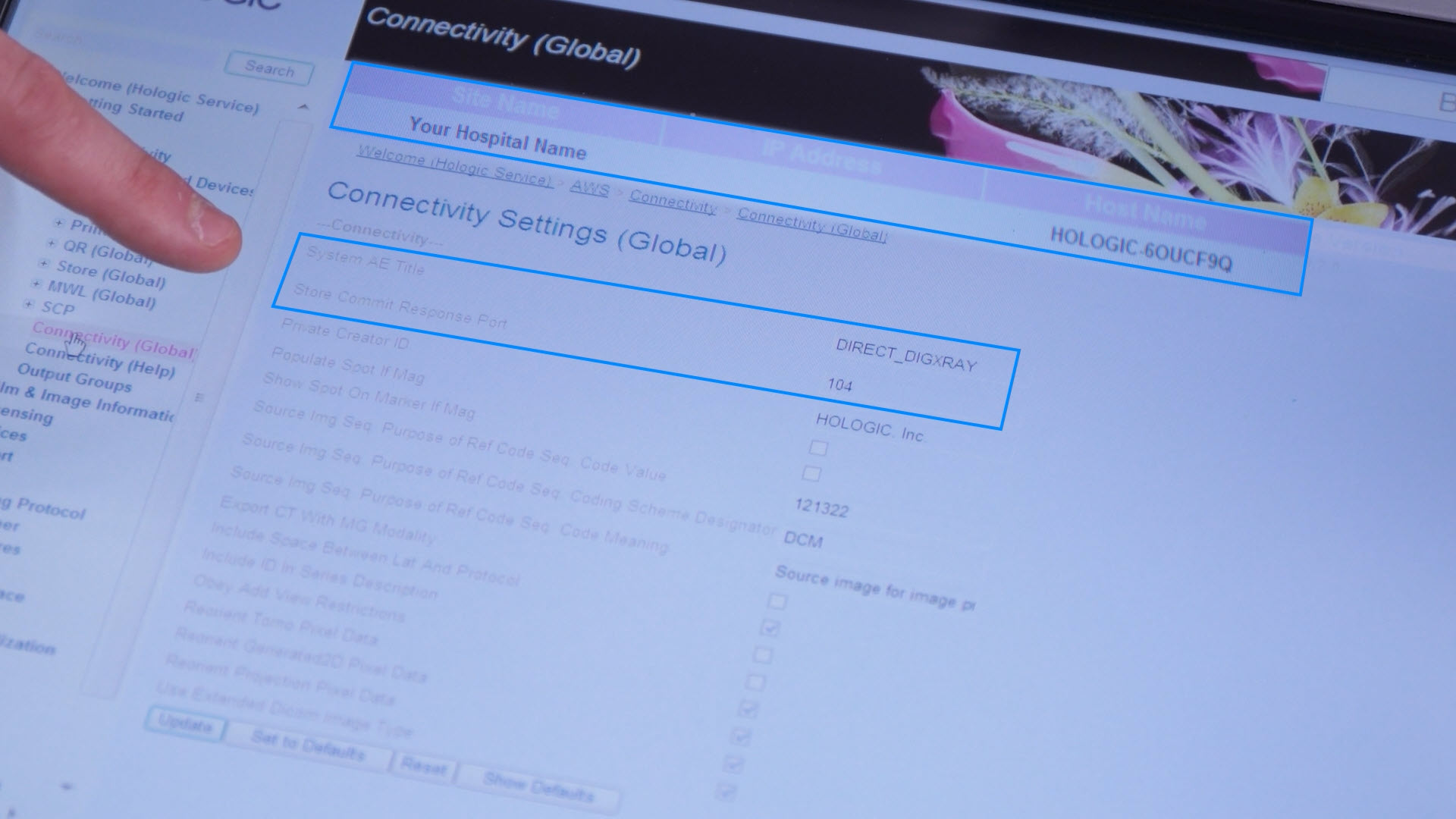
On the Connectivity Global screen, locate and write down the IP address, the System AE Title, and the Store Commit Response Port. These are important details your IT team will need to verify communication settings.
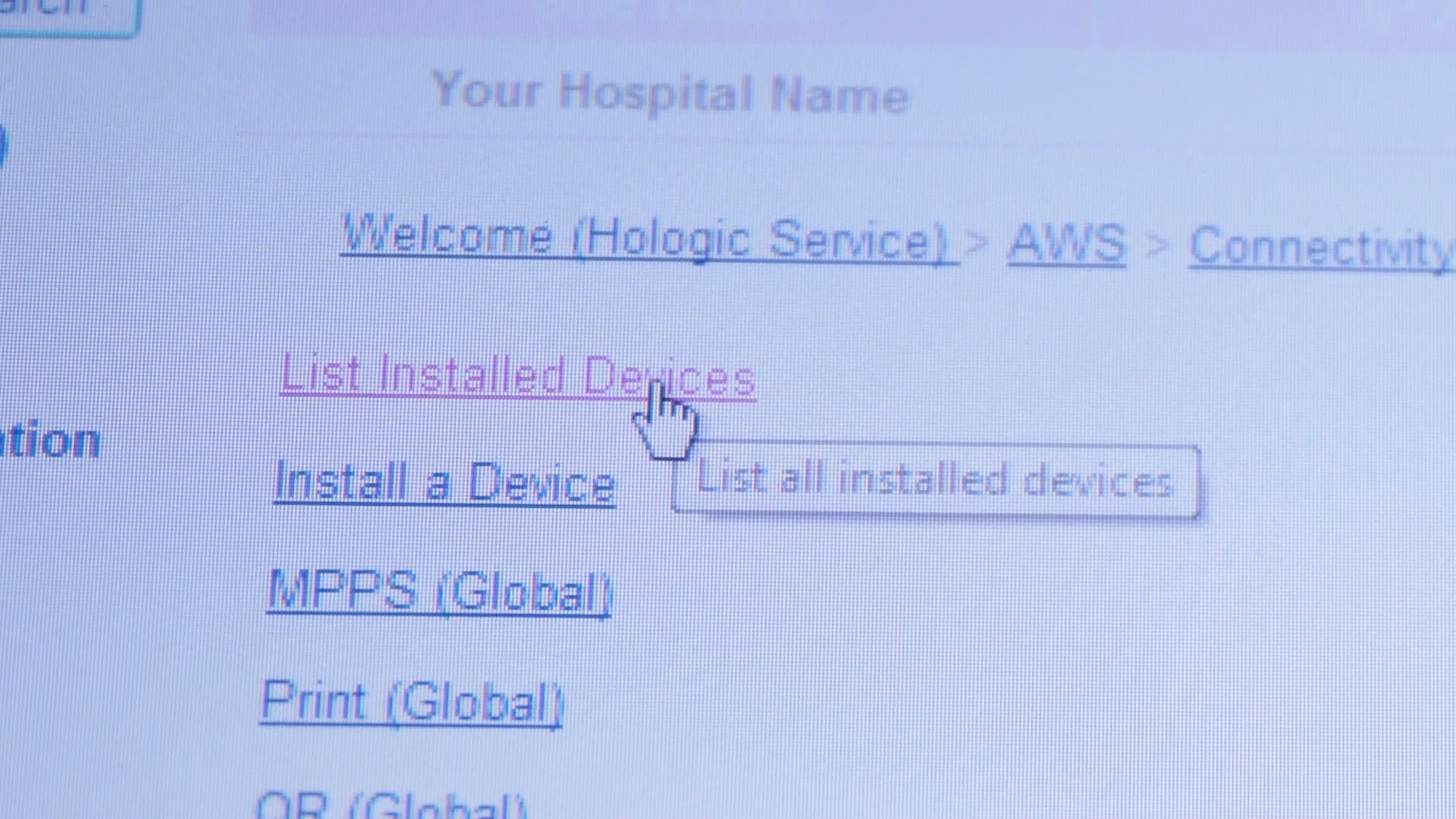
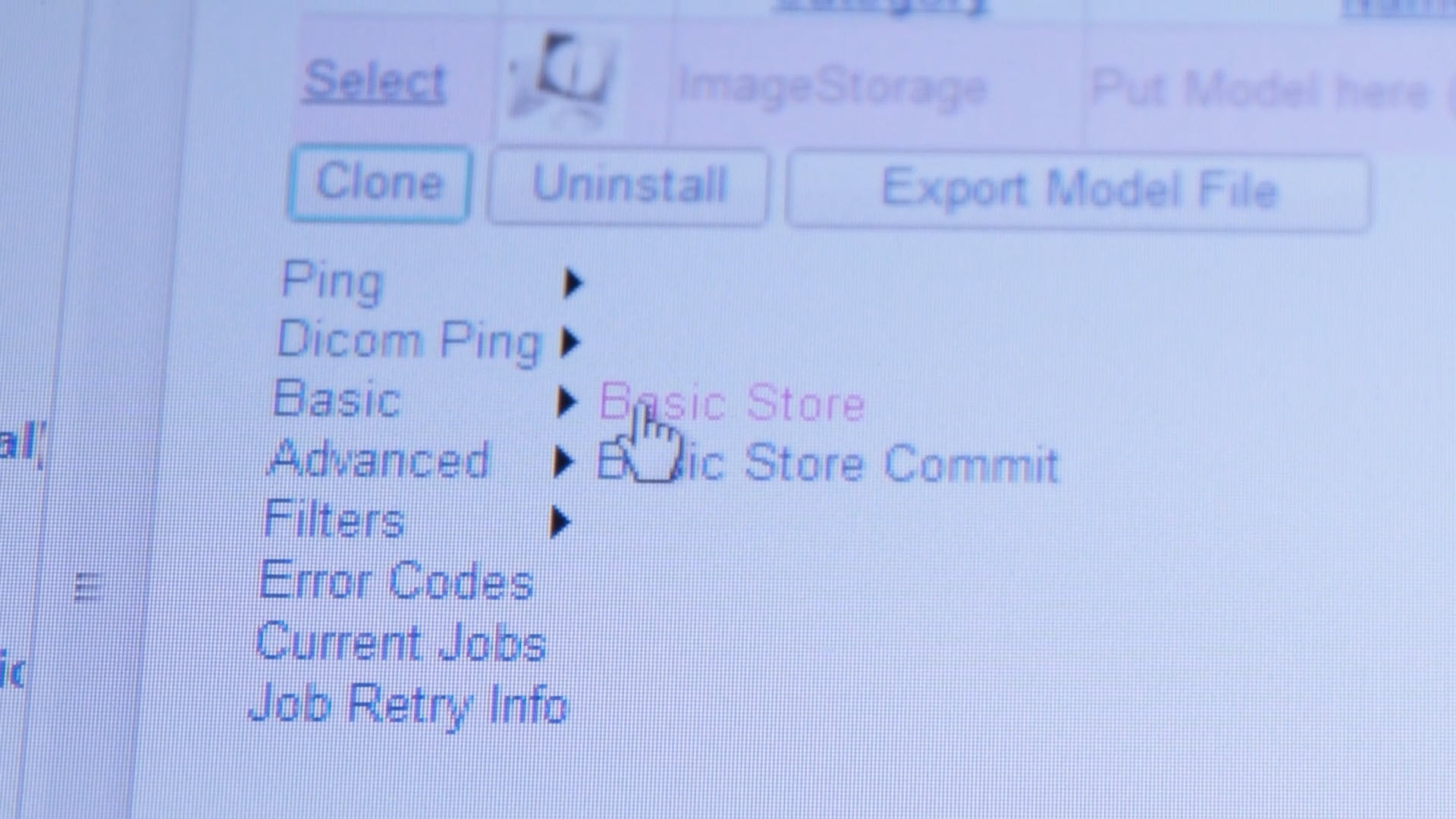
After that, back out to the Connectivity area and choose List Installed Devices. From the installed devices list, select the Image PACS option.
Then open Basic and choose Basic Store.
On this screen, write down the Host, Port, and Called AE Title. These settings identify where the mammo unit is trying to send images.
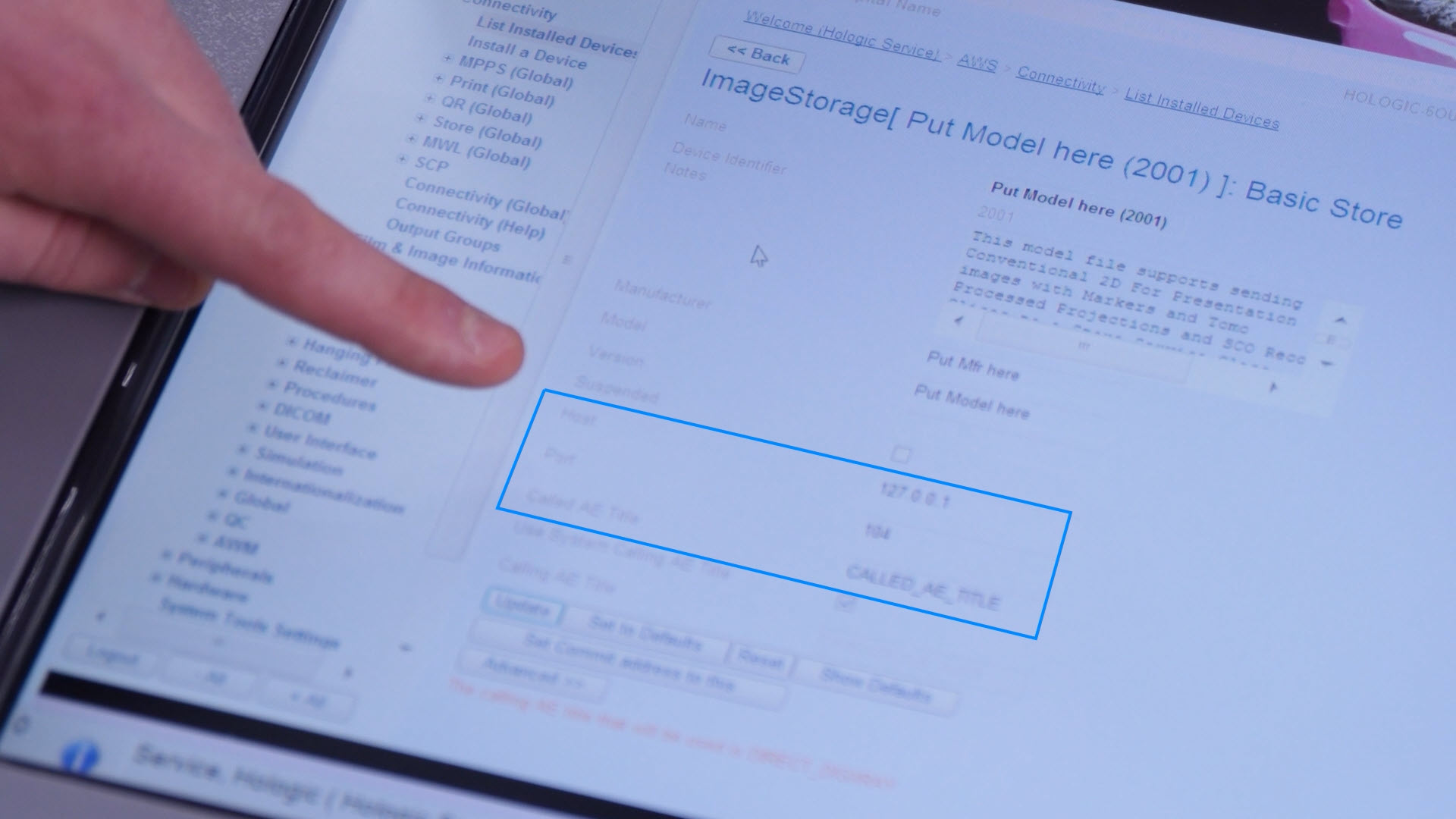
Once you have all of this information, send it to your IT department so they can compare the mammo system settings with the PACS/network configuration on their side. This will help them determine whether a network change, PACS update, or configuration mismatch is preventing images from being sent.
If IT confirms that their settings are correct and the mammo unit still is not sending images to PACS, the next step is to contact your service provider for further support.
Need help? No worries: our Service Team is standing by to assist. Give us a call at (877) 733-7142 or use the button below to contact us and let us know what you need.

 Andy Owen
.png)